Work Management helps consulting firms organize their daily work by creating tasks, assigning them to staff, and tracking progress in one system. From task allocation to employee time tracking, your entire workflow stays visible and controlled.
Consulting firms handle multiple services for many clients at the same time. When tasks are managed through emails, messages, or spreadsheets, it becomes difficult to track progress and ensure work is completed on time.
Without a structured system, teams may face:

Accotick Work Management organizes all office tasks in a structured workflow.
.png)
Consultants can create work items, assign them to staff, and monitor progress from a single dashboard.
This ensures every task has clear ownership, defined timelines, and complete visibility for managers and partners.
This structured workflow ensures that every task has clear ownership, proper tracking, and timely completion.
Add a work related to a client service or internal task.
Easily add multiple tasks under a work to break it down into clear, manageable steps.
Allocate the work to the appropriate team member.
Employees update task status while managers monitor progress.
Review time spent and calculate the cost of completing the work.
AccoTick Work Management helps consultants and firms plan, assign, track, and complete work efficiently—ensuring no task, deadline, or client requirement is ever missed.
Create work directly from the dashboard or client profile—no complex setup.
Use predefined templates for GST filing, returns, audits, and routine compliance work.
Due dates and reminders are automatically set based on the selected time prefix.
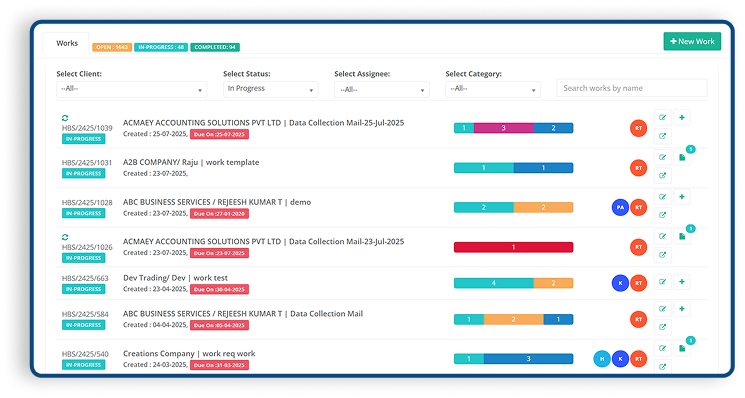
Track work stages like Pending, In Progress, On Hold, Completed.
Monitor status, updates, and completion from a single workflow view.
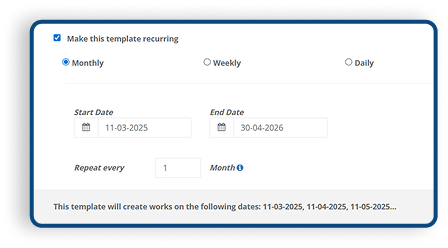
Define work with pre-set time frames (Monthly, Quarterly, Yearly, or Custom) so tasks are auto-organized by period.
Each created work automatically generates a separate board.
Assign tasks to team members with defined responsibilities.
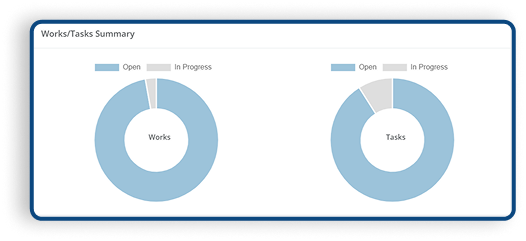
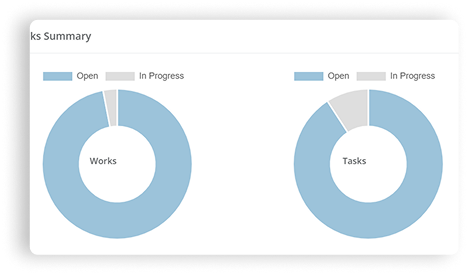
Track task status and overall work completion at a glance.
Teams follow a guided workflow to complete work on time.
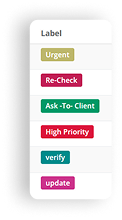
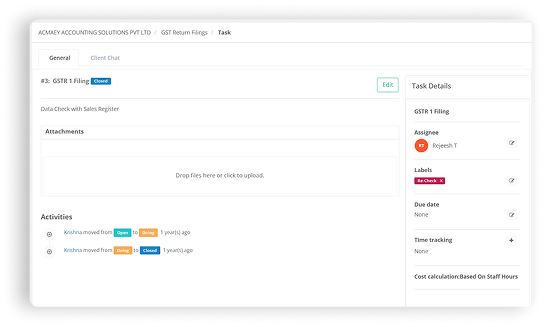
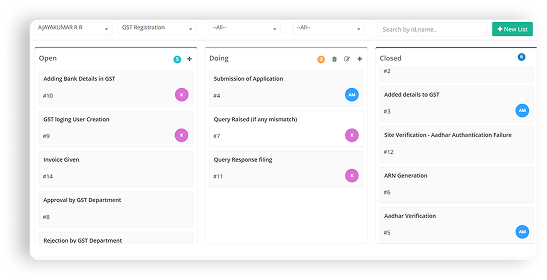
Break work into clear, actionable tasks under each board.
Move tasks through stages like To Do, In Progress, Completed.
Maintain a complete history of task updates and actions taken.
Attach supporting files, forms, and working papers to tasks.
Every work is linked to a client for clear cost visibility.
Monitor running costs while work is in progress.
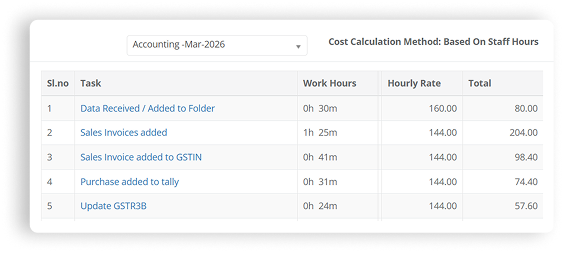
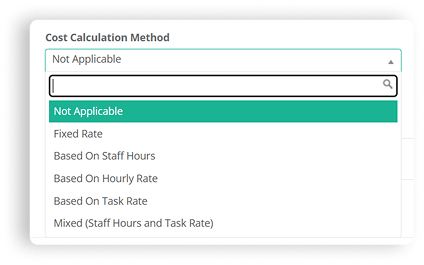
Calculate costs automatically based on team time spent.
Understand actual cost and margin for each client and work.
Define roles such as Partner, Manager, Accountant, or Staff and control what each team member can view or edit — ensuring data security and accountability.
Get a real-time view of who is overloaded and who is available, helping you balance work efficiently across your team.
Assign client-wise and compliance-wise tasks to team members with clear responsibility, priorities, and due dates.
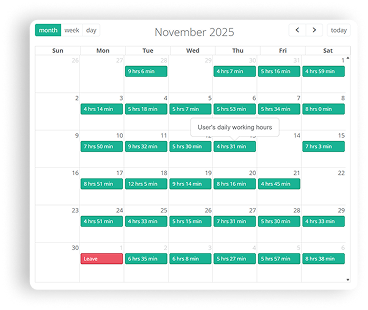
Track completed tasks, turnaround time, and efficiency per team member to improve performance and identify training needs.
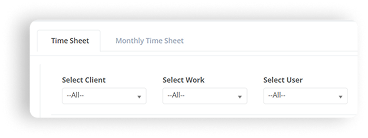
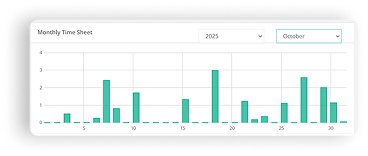
Create new work in one click using predefined templates, saving time on repetitive setup.
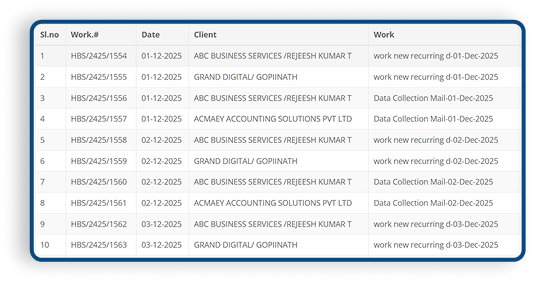
Generate work for multiple clients at once, making it easy to handle large volumes of recurring tasks.
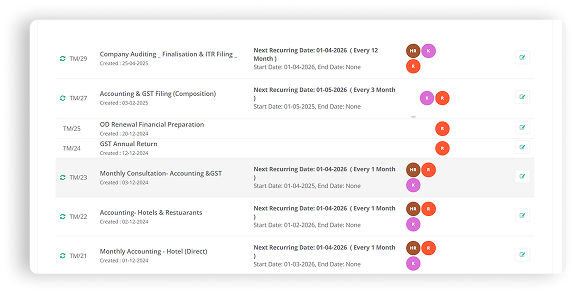
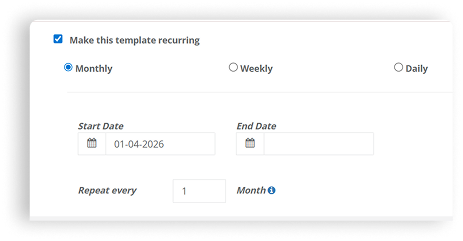
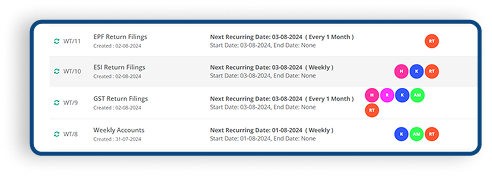
Set tasks to repeat daily, monthly, yearly, or based on custom schedules as per your workflow.
Due dates are automatically updated based on the selected schedule, ensuring timely completion.
Work Management helps consultants create tasks, assign them to staff, and track progress for different client services.
Yes. You can assign each task to a specific staff member so responsibilities are clearly defined.
Yes. Staff can update task status and track their work progress through their login.
Yes. The system allows tracking of employee time spent on each task to measure productivity.
Yes. Work cost can be calculated based on employee time and work effort.
Yes. Each staff member has a separate login to manage their assigned tasks.
You can create and manage unlimited work tasks based on your firm’s requirements.
.png)